

 All guides
The paint studio is where a white doll becomes your child’s own. One finger on the doll paints. The paint always stays inside the doll and the felt hair keeps its colour, so there are no mistakes, only changes of mind.
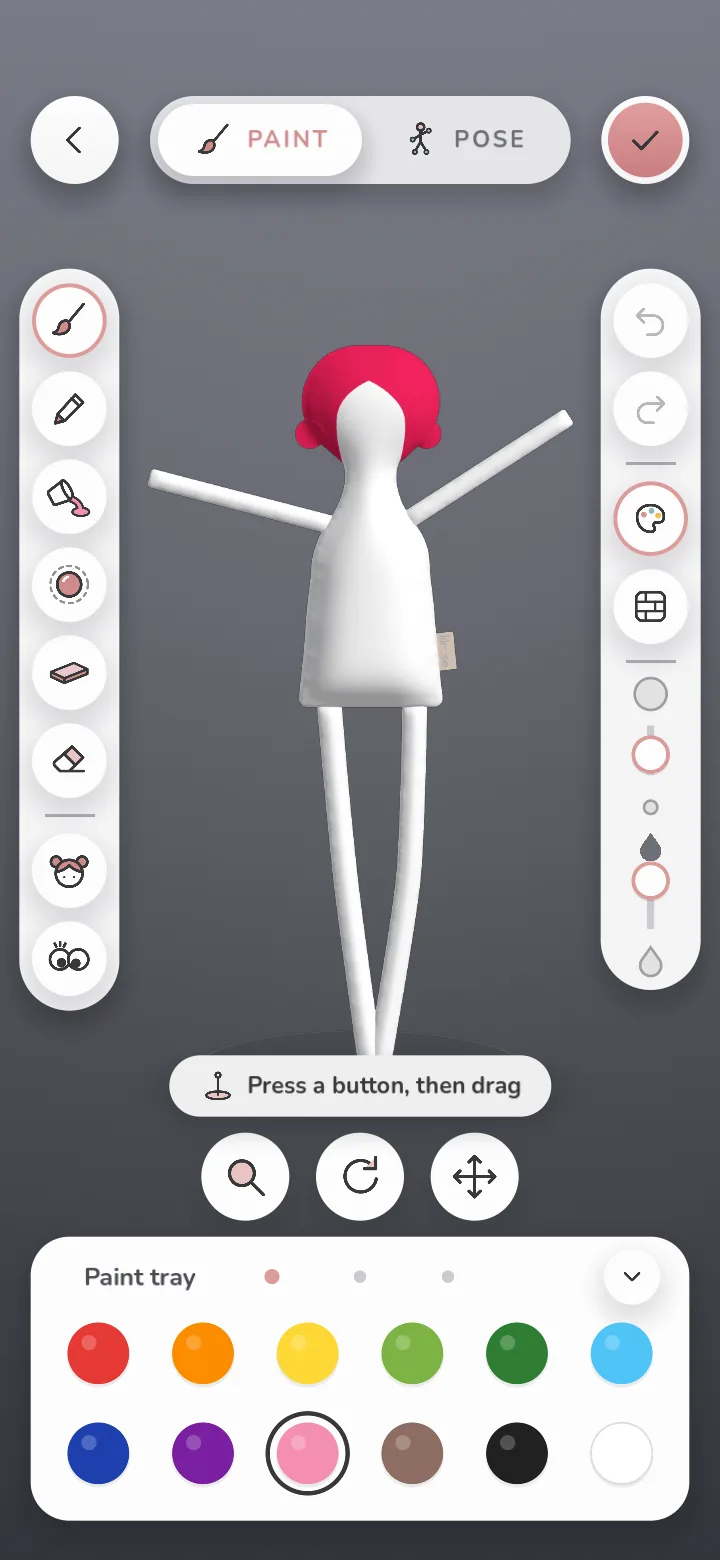
The tools on the left
 Brush. Soft strokes. Change its size and how strong the paint is with the sliders on the right.
 Pencil. Thin, steady lines for faces, letters and patterns.
 Fill. Tap a part of the doll to colour all of it at once, in a plain colour or one of eight textures, such as dots, stripes or bricks.
 Ball. A see-through ball on the doll. Pick a colour and everything inside the ball is painted, front and back.
 Plane. A see-through slab that paints a band right round the doll. Perfect for socks and stripes.
 Eraser. Rub paint out, or clear a whole side. Clearing everything always asks first.
 Hair. Change the felt colour and texture, and try other hairstyles of the same family.
 Eyes. Stick on up to six googly eyes, in three sizes.
Turning the doll
Three round buttons sit under the doll: Zoom, Turn and Move. Press one and drag. Tap one twice to put the view back.
Undo, poses and done
Undo and redo are at the top of the right-hand rail. Pose lets your child stand the doll, raise its arms, wave, sit or jump. The tick at the top saves the doll, then they choose to play or keep painting.